In the ever-evolving world of YouTube, staying ahead of the curve means embracing the latest tools and technologies. Recently, I found myself in a bit of a creative conundrum when it came to designing graphics for my show. I needed something fresh, something that would grab the viewers’ attention right off the bat. So, I turned to my trusty sidekick—ChatGPT. Yep, you heard that right! 🤖✨
I initially asked ChatGPT to generate a graphic for me, but it threw up two guys on the image. Now, that wouldn’t have made much sense since there were only two men in the lineup. So, I quickly revised my request: “Make them women.” And just like that, boom! 💥 ChatGPT gave me a perfect graphic that matched my vision. With the graphic sorted, I was ready to roll.
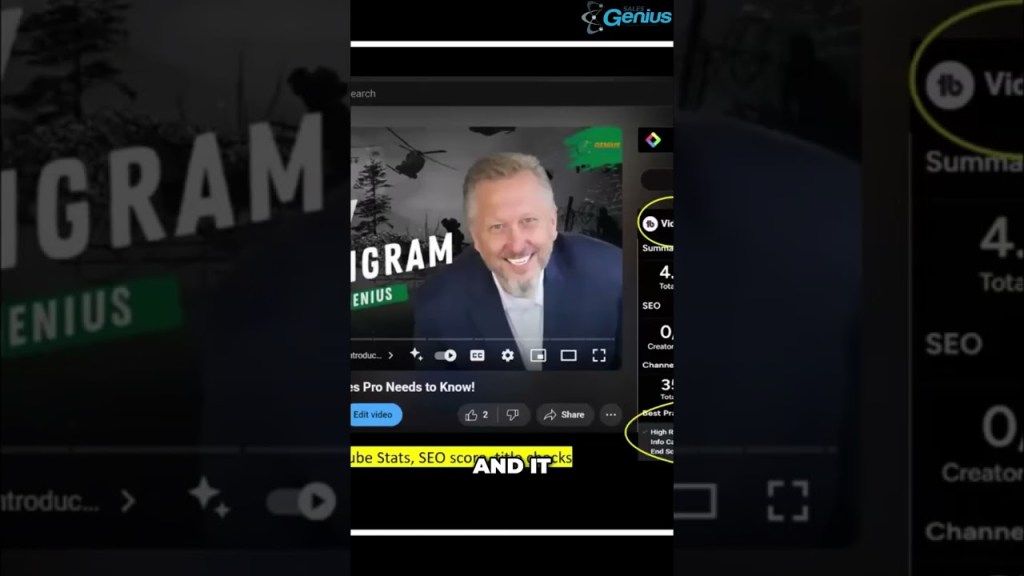
But let me take you behind the scenes a little bit more. For those who are curious about how I optimize my videos, I rely heavily on a couple of AI-powered tools that have been absolute game-changers for my channel. First up is TubeBuddy—an incredible software that keeps my SEO game strong. Now, I know what SEO is, and I know it’s crucial, but let’s be honest—who really wants to dive into the nitty-gritty of it all? 😅 That’s where TubeBuddy steps in.
When I upload a video, TubeBuddy is right there, analyzing my stats, comparing my videos with others, and offering suggestions to boost my SEO score. My SEO score is currently sitting pretty at 95! 💪 But TubeBuddy doesn’t stop there. It also keeps me on my toes with a handy little reminder if I forget to add an end screen. It’s like having a virtual assistant on standby, always ready to help with a simple click.
Now, let’s talk about one of the coolest tools I’ve come across recently—Glasp. My buddy Ed, who’s absolutely killing it on YouTube with his videos, introduced me to this gem. Imagine having a tool that not only provides a transcript of your video but also gives you a summary at the top of the page. That’s Glasp for you! 🌈📜 It’s a fantastic cheat sheet for anyone looking to streamline their content creation process. You can connect it directly to ChatGPT, so every time you open a video, the transcript is right there, ready to be reviewed or edited.
These tools have made my YouTube journey so much smoother, and I can’t recommend them enough. Whether you’re just starting out or you’re a seasoned pro, integrating AI into your workflow can give you the edge you need to stand out in a crowded space.
So, what are you waiting for? Give these tools a try, and let me know how they work for you! 🚀✨
#TubeBuddy #DigitalMarketing #YouTubeGrowth
Discover how to enhance your YouTube channel using AI tools like TubeBuddy and Glasp. Learn to improve your SEO score and engage your audience effectively. Don’t miss these invaluable tips for video success!

 MonsterKong.marketing
Leave a reply to manimogrhea123 Cancel reply